Auto-Save
for Carrd
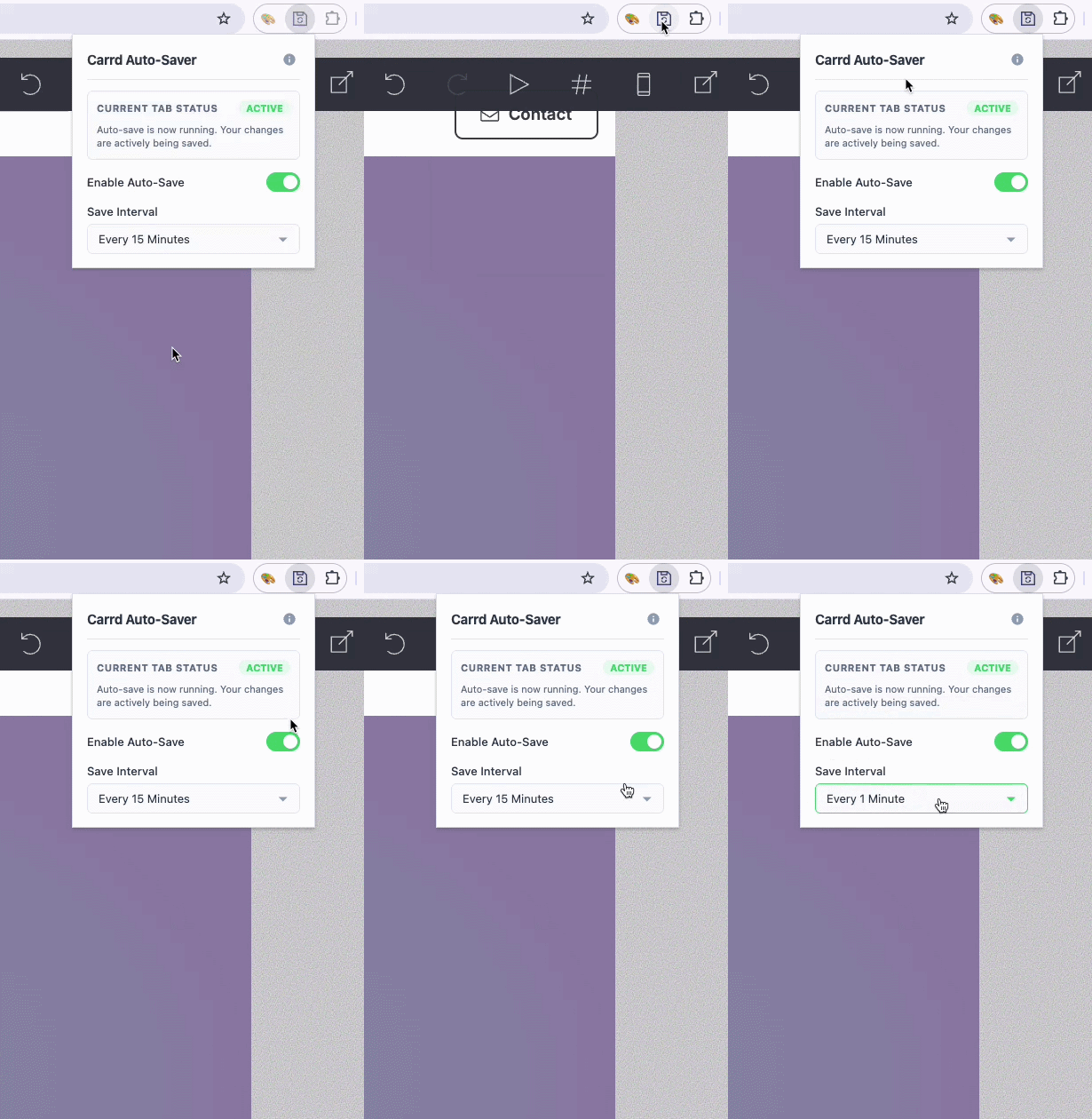
This is not a Carrd plugin. It's a Chrome browser extension to auto-save while building on Carrd's Builder page. No more lost edits while in the flow of building your Carrd site! See demo →
🚨 NEW critical updates (August 2026):
Please install version 1.3 of the extension, because Carrd recently updated their app platform to carrd.com

Made by @jasonleowsg • Privacy policy
Demo
The Carrd Builder has no auto-save, so users (especially new users) are often losing their work. It's frustrating when hours of edits are gone!The Auto-Save for Carrd browser extension detects when you are on a Carrd Builder page, and starts saving automatically at the interval you set. See how it works →
Privacy Policy
Privacy Policy for Auto-Save for Carrd browser extensionLast Updated: September 3, 2026Your privacy is extremely important to us. This Privacy Policy describes how the Auto-Save for Carrd browser extension (the "Extension") handles your data and information.1. No Data Collection or Transmission
The Extension is designed with absolute privacy in mind.
* No Personal Information: We do not collect, store, or transmit any personal information, email addresses, usernames, accounts, passwords, or Carrd project data.
* No Browsing History: We do not track or log your browsing history. The Extension only monitors active browser tabs to detect if you are currently editing a project on the official Carrd builder interface (https://carrd.com/dashboard/*/build).
* No External Servers: The Extension does not communicate with any external servers, analytical services, or third-party networks. All processing and operational logic occur entirely locally within your browser environment on your device.
* Local Settings Only: Your preferences (save interval and on/off toggle) are stored locally on your device using Chrome's built-in storage. They are never transmitted elsewhere.
* No Analytics or Third-Party Sharing: We do not use analytics, tracking tools, or share any data with third parties. We do not sell user data.2. Local Storage of Preferences
The Extension utilizes the standard Google Chrome chrome.storage.local API to remember your settings:
* Your preferred auto-save time interval (e.g., 1, 3, 5, 10, or 15 minutes).
* Whether the auto-save functionality is currently toggled "Enabled" or "Disabled".This configuration data is strictly stored within your local web browser profile. It is never uploaded, shared, or synced to any remote database.3. Chrome Permissions Used
The Extension requests the following browser permissions strictly to perform its core functionality:
* storage: To save your auto-save settings locally.
* alarms: To schedule background triggers for the auto-save loop without consuming active computer memory.
* Host Permissions (https://carrd.com/dashboard/*/build): To inject the keyboard shortcut event handler strictly inside Carrd project workspaces.
* activeTab: To verify if your active browser window is a Carrd builder editor.
* 4. Changes to This Policytabs: To check the current URL structure and ensure save signals are only dispatched to open Carrd workspaces.
We may update this Privacy Policy from time to time. Any changes will be updated on this page and reflected in the "Last Updated" date above.5. Contact Us
If you have any questions or feedback regarding our privacy practices, please contact us at https://plugins.carrd.co or visit https://autosave.carrd.co.